

Latest Version
Zenju
Travel & Local
Linux
Free
org.freefilesync.FreeFileSync
Report a Problem
More About FreeFileSync Folder Synchronization Utility Review
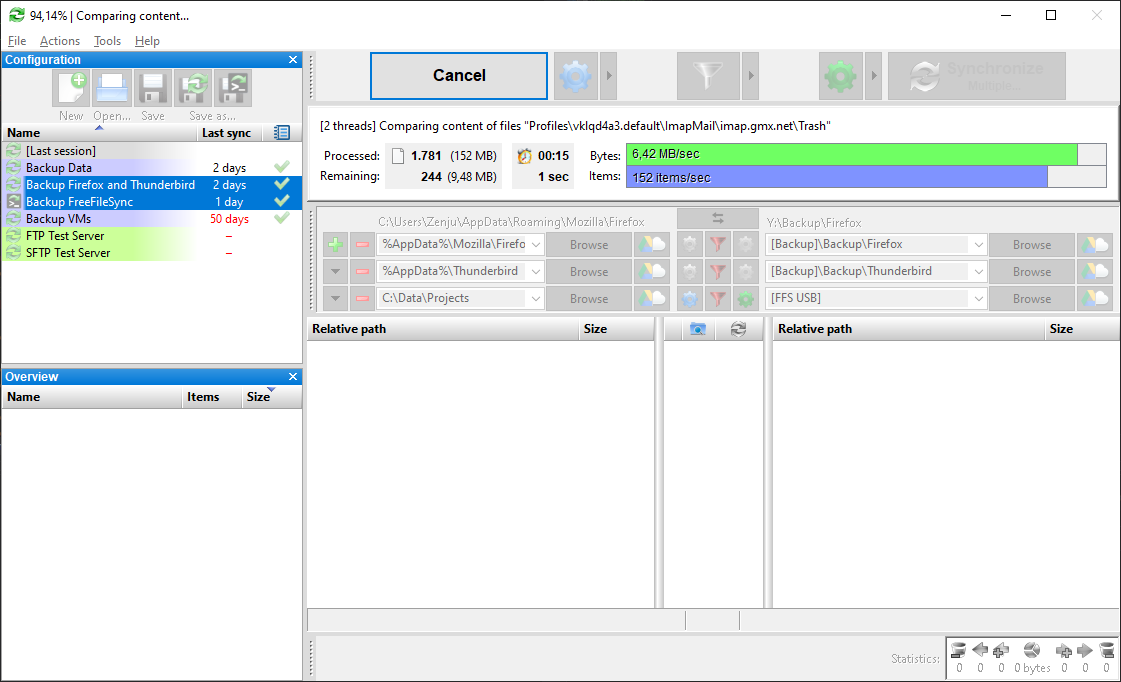
If you are looking for a reliable way to secure your data, FreeFileSync folder synchronization offers an elegant, open-source solution to avoid the headache of manual file copying. Anyone who has ever lost crucial work or struggled to keep directories across different drives aligned knows how tedious file management can be. Instead of repeatedly copying entire folders—which wastes valuable time and hardware life—this utility smart-scans your directories to pinpoint changes instantly.
How FreeFileSync Folder Synchronization Optimizes Your Backups
At its core, this software is designed to minimize data transfer. By comparing a source directory against a target directory, the application identifies exactly which files have been created, modified, or deleted. It then transfers only the minimum amount of data required to align the two locations. This highly efficient delta-comparison makes it an indispensable tool for both daily local backups and complex archival workflows on Linux systems.
Key Features and Technical Integration
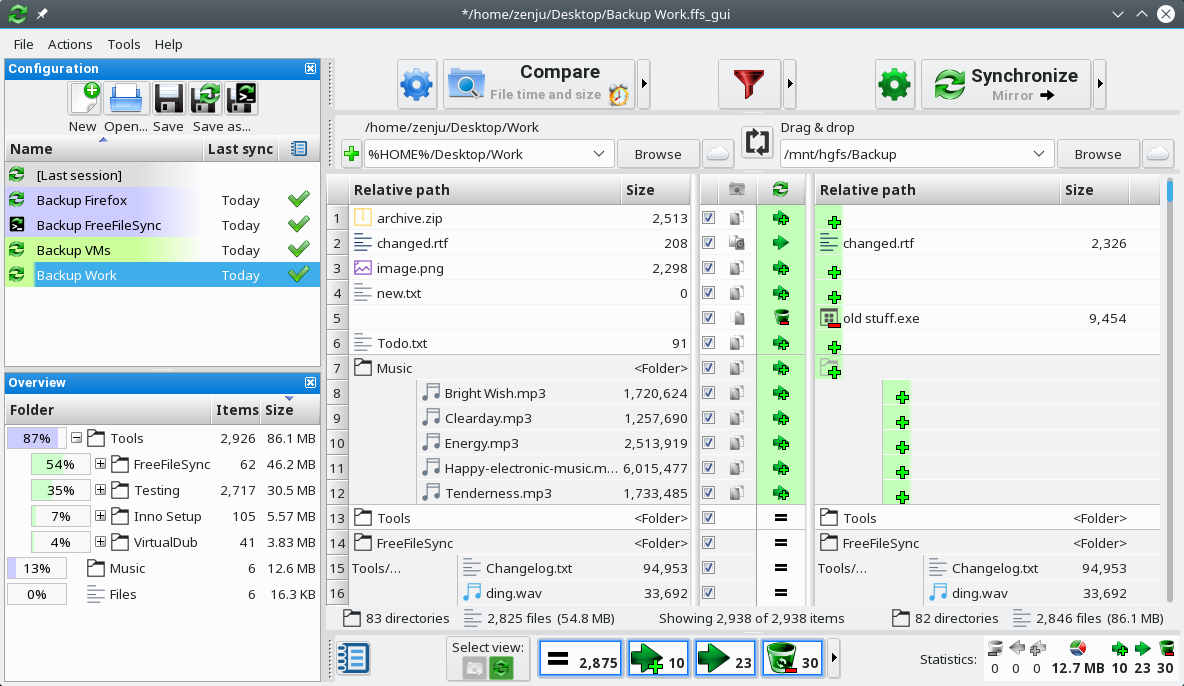
- Visual Folder Comparison: Clear side-by-side layout letting you inspect differences before committing to any sync action.
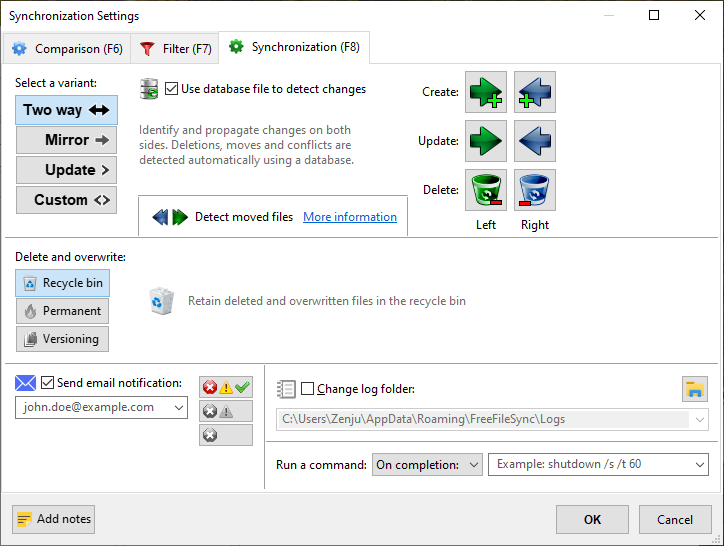
- Flexible Synchronization Rules: Define custom parameters for two-way synchronization, mirroring, or update-only tasks.
- Scripting and Automation Support: Execute external commands or custom scripts to seamlessly integrate synchronization into automated system routines.
Configuring Host Permissions on Linux
For users running the sandboxed Flatpak version on Linux, security restrictions prevent the app from directly accessing external host tools. If you need to trigger host scripts or open files in external applications, you can easily grant session DBus access by running the following command in your terminal:
flatpak override --user --socket=session-bus org.freefilesync.FreeFileSync
Alternatively, tools like Flatseal can be utilized to manage these permissions graphically. Once configured, you can launch host commands by prefixing them with flatpak-spawn --host.
A Must-Have Tool for Secure Data Management
Whether you need to maintain an identical mirror of your project files on an external drive or keep multiple workstations aligned, this tool provides the transparency and control necessary to prevent data loss. Its visual interface removes the guesswork, showing you exactly what will change before a single byte is moved.
To integrate this powerful utility into your backup regime, visit the official Flathub store page to explore its features and get started with FreeFileSync folder synchronization today.
Rate the App
User Reviews





Popular Apps










Editor's Choice